If you own a small business, you want every person who walks through your door to feel special. We call this the guest experience. A great guest experience is the difference between a one-time visitor and a loyal fan. Geofencing is a way to use a virtual fence to make that guest experience much better. In my work at WebHeads United, we see how this technology changes lives every day.
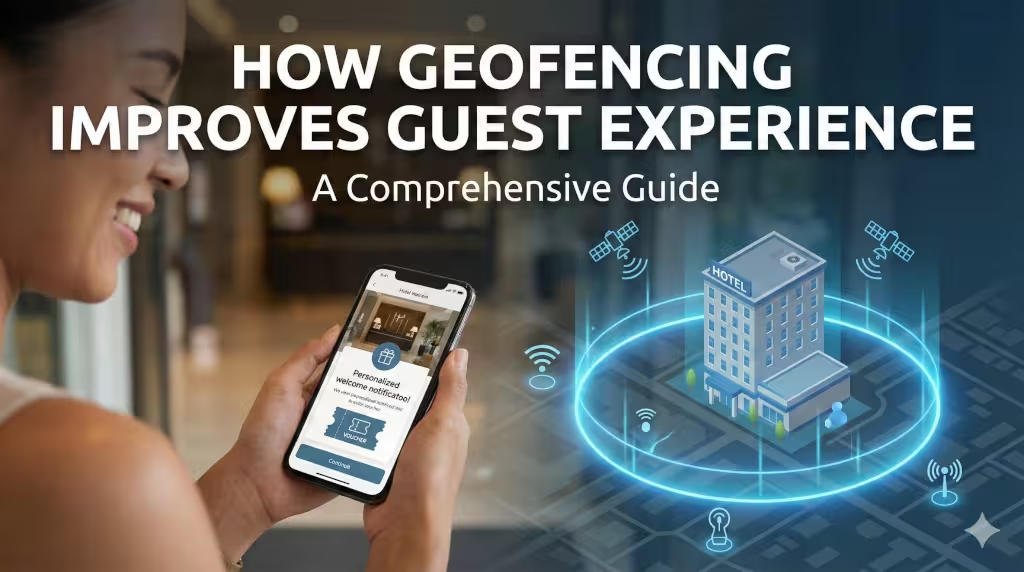
Think of a geofence as an invisible line on a map. When a person with a smartphone walks across that line, a computer knows and responds. It can then send a message or start a process. We use GPS, Wi-Fi, and Bluetooth to make this work. In the past, geography was just about where things were. Now, geography is about how we interact with those things in real time. This change is the spatial evolution of hospitality.
Our goal is to show you how this tech makes every guest experience feel like it was made just for them.
Hyper-Personalization: The Core of the Guest Journey
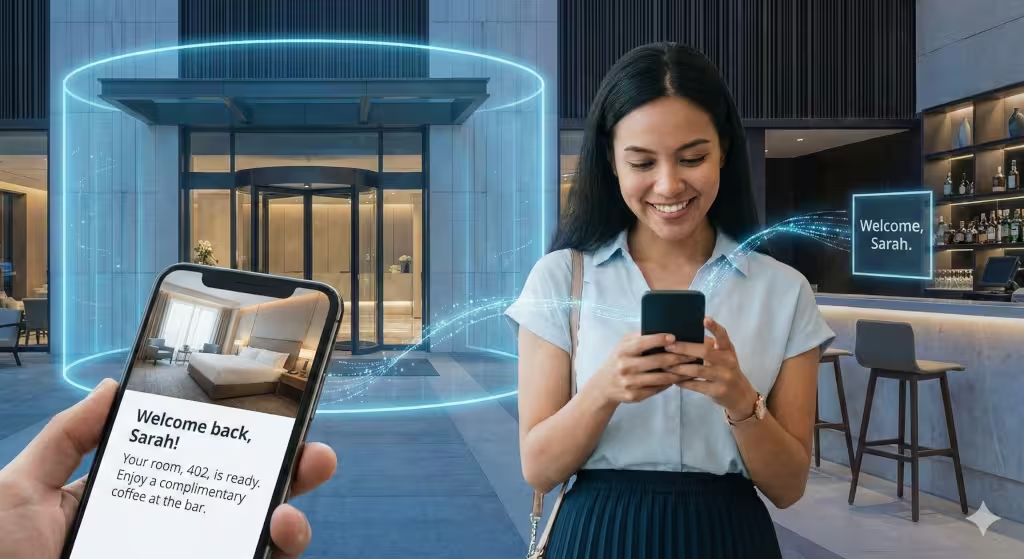
The first way we can use geofencing is through personalization. Every person wants to feel like they are seen. When someone enters your virtual fence, you can send a message that fits their needs. For example, if you run a hotel, you could send a welcome note. As soon as they drive into your lot, their phone pings. It tells them their room is ready. It might even offer them a free drink at the bar. This simple act improves the guest experience by making them feel welcome.
Context is everything in marketing. If you send a coupon for a steak dinner while someone is at home, they might ignore it. But if you send that coupon when they are walking past your restaurant, they are much more likely to come in. This is called contextual messaging. It meets the person where they are. This focus on the guest experience builds a bond between the brand and the visitor.
We can also look at what a person has done before. If a guest always buys a latte, the geofence can trigger a special deal for a latte when they arrive. This is segmented promotion. You are not just shouting at everyone. You are talking to one person about what they like. This high level of care makes for a better guest experience. It shows that you value their time and their choices.
Operational Efficiency: Eliminating Friction
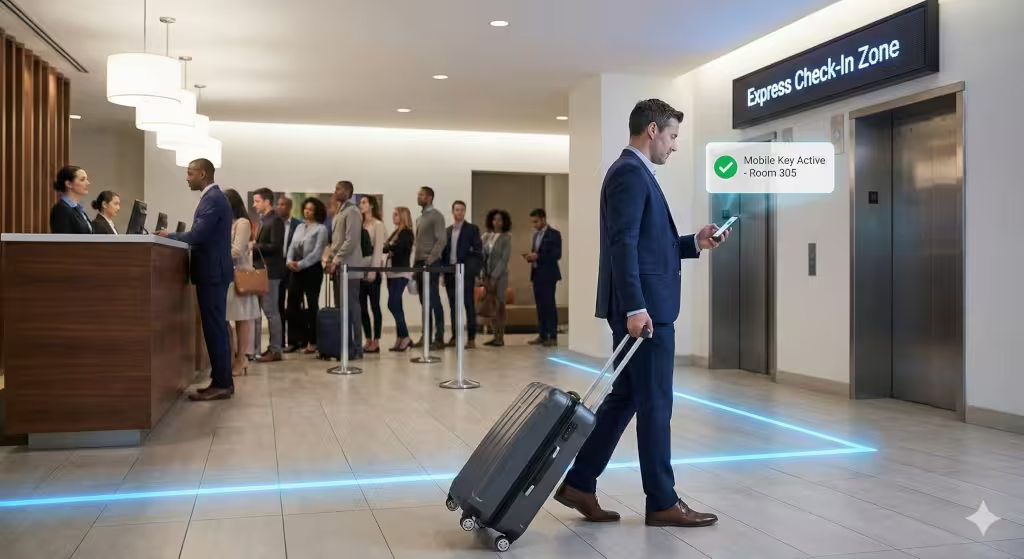
Friction is anything that slows a person down. Waiting in line is friction. Looking for a room is friction. Geofencing helps remove these problems to boost the guest experience. One of the best uses is the seamless check-in. In many modern hotels, you do not have to stand at a front desk. The geofence knows you are there. It sends a digital key to your phone. You can walk straight to your room. This fast process makes a guest experience much more relaxing.
Large places like resorts or big stores can be hard to navigate. We use indoor navigation to help. This is often called wayfinding. Using Bluetooth beacons, we can guide a person to exactly where they want to go. If a guest needs to find the gym or the spa, their phone can show them the way. This takes away the stress of being lost. A stress-free visit is a key part of a positive guest experience.
When a business runs smoothly, the guest notices. They might not know that geofencing is doing the work. They just know that everything was easy. As an expert in GIS, I know that the best technology is often invisible. It just works in the background to serve the person. By using these tools, a small business can act like a giant corporation. You can give a guest experience that is fast, smart, and efficient.
Safety, Security, and Proactive Assistance
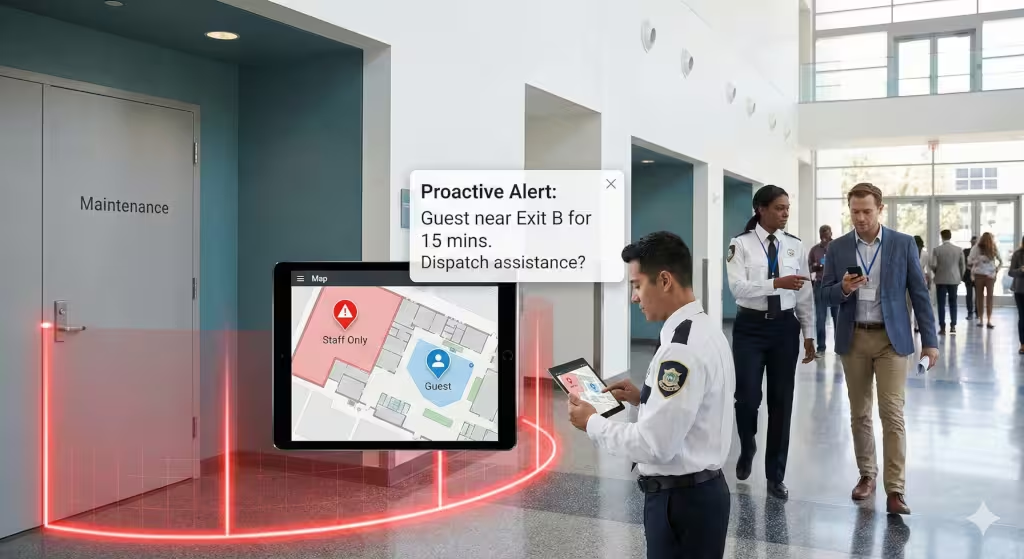
Safety is something we often take for granted until we need it. Geofencing can keep people safe. If there is an emergency, you can send alerts to everyone inside your virtual fence. You can give them clear steps on what to do. You can even see where people are to make sure everyone is out of harm’s way. This layer of safety is a vital part of a good guest experience.
Some areas of a business are not for the public. These are restricted areas like kitchens or power rooms. If a guest walks into one of these spots by mistake, the system can alert them. It can also alert your staff. This prevents accidents before they happen. Keeping guests in the right places helps keep the guest experience focused on fun and comfort.
We also use this for proactive help. If a guest is standing in one spot for a long time, they might be confused. A staff member could receive a notice to go help that person. This is using location data to be kind. When you solve a problem before a guest even asks, you create an amazing guest experience. It shows that you are looking out for them at every step.
Common Questions about the Guest Experience and Geofencing
Many people have questions about how this works. A common question is how geofencing works for the person visiting. The answer is simple. The guest usually has an app for the business. They give the app permission to see their location. This is an opt-in process. Once they do this, the “triggers” can start. This choice is part of a fair and open guest experience.
Another question is about phone battery life. People worry that GPS will drain their phone. In the past, this was a problem. Today, we use things like Bluetooth Low Energy. This does not use much power at all. A guest can enjoy the perks of the tech without their phone dying. A dead phone would ruin the guest experience, so we work hard to make sure the tech is light.
Finally, people ask about privacy. We must always protect the data of the guest. Businesses should only collect what they need. They should never share it without asking. A safe guest experience is one where the person feels their private life is respected. When a guest trusts you, they are more likely to return.
Post-Visit Engagement and Behavioral Analytics
The guest experience does not end when the person walks out the door. The moment they leave the virtual fence is a chance to say goodbye. This is called an exit trigger. You can send a message saying thank you for visiting. You might also ask for a review. Getting a review right after a visit is very helpful. The memory is fresh, and the guest is likely to give honest feedback.
We also use this data to learn. We look at dwell time. This is how long a person stays in one spot. If guests spend a lot of time in your garden but not your shop, you can learn from that. You can change your layout to improve the guest experience next time. This is using math and geography to make better business choices.
By looking at foot traffic patterns, you can see what parts of your business are most popular. This is called heatmapping. It helps you see where to put more staff or new signs. Every small change you make based on data leads to a better guest experience. It is a cycle of learning and getting better every day.
Implementing Geofencing for Small Businesses
You might think this sounds expensive. It does not have to be. Many small businesses can use their existing Wi-Fi. This is a great way to start. You can set up a small radius around your shop. A tight radius is usually best. If the fence is too big, you might send messages to people who are just driving by. That can be annoying and hurts the guest experience.
Accuracy is the most important thing. If your map is wrong, your messages will be wrong. I always tell my clients to test their fences. Walk the perimeter yourself. See when the phone pings. If it pings too early or too late, adjust the GIS coordinates. A precise fence leads to a precise guest experience.
You should also think about your goals. Do you want more sales? Or do you want people to stay longer? Your goals will change how you set up your fence. No matter what your goal is, the focus should always remain on the guest experience. Use the tech to help them, not just to sell to them. When you put the guest first, the profit will follow.
Creating a Unified Strategy
A good guest experience comes from many parts working together. Geofencing is just one tool. It should work with your email list, your social media, and your staff. When all these things talk to each other, the guest feels a sense of harmony. They move from the digital world to the physical world without any bumps.
In my home in Redlands, California, I see local shops starting to use these ideas. It makes the town feel more connected. When a local bookstore knows I am coming and has my favorite type of book ready, that is a great guest experience. It uses data to bring back the feeling of an old-fashioned neighborhood shop.
We believe that the future of business is spatial. We are no longer tied to just a website or just a building. We are in a world where the two are joined. By using geofencing, you are taking a step into that future. You are telling your visitors that you care about their time and their needs. You are building a guest experience that people will talk about and remember.
The Path Forward
The guest experience is the most important asset you have. Tools like geofencing give you the power to make it better than ever before. You can welcome guests, guide them, and keep them safe. You can learn from their movements and improve your business every day. It is a powerful way to use geography and computer science for good.
As you look at your own business, think about the virtual fences you could build. Think about the messages you could send. Always ask yourself if what you are doing adds value. If it makes the guest experience better, then it is a good move. If it makes things harder, then you should change it. Accuracy, honesty, and care are the keys to success.
We hope this guide has helped you see the potential of this technology. It is not just for big tech companies. It is for everyone who wants to serve their customers better. By focusing on the guest experience, you can create a business that truly stands out. It takes some work and some data, but the results are worth it.
Thank you for spending time with me today to learn about this. It is a topic I care about very much. Geography is a beautiful science, and when we use it to help people, it is even better. I look forward to seeing how you use these tools to change your business and improve the lives of your guests.
A List of Geofencing Software for Small Businesses
Finding the right tools is the next logical step in your journey to improve the guest experience. You do not need a massive budget to start using this technology.
Here is a curated list of geofencing software that is well-suited for small businesses. I have categorized them by how they help you serve your guests.
Marketing and Engagement Tools
These tools focus on talking to your guests and sending them offers. They are great for building a guest experience that feels personal and timely.
1. Radar (Best for Growth and Customization)
Radar is a very powerful platform. It is a favorite among tech-focused businesses because it is very accurate. It allows you to track when a guest enters a store, how long they stay, and when they leave.
-
How it helps the guest experience: It can trigger welcome messages or special “loyalty” discounts the moment a guest walks in.
-
Pricing: They have a free “Starter” plan for small projects. Their “Growth” plans are priced for businesses that are ready to scale.
-
Atlas’s Take: I appreciate Radar because of its technical depth. It handles the “math” of the virtual fence very well, which means fewer “false pings” for your guests.
2. GroundTruth (Best for Local Advertising)
GroundTruth is great if you want to show ads to people who are near your business or even near your competitor’s business. This is often called “geo-conquesting.”
-
How it helps the guest experience: It ensures that your ads only go to people who are actually close enough to visit you. This makes your marketing feel helpful rather than like spam.
-
Pricing: They offer “Self-Service” options where you can set your own budget, often starting with small daily amounts.
-
Atlas’s Take: This is a very direct tool. If your goal is to increase foot traffic quickly, GroundTruth is a solid choice.
3. Qujam (Best for Small Business Ad Campaigns)
Qujam was built specifically for small advertisers. They make it very easy to draw a fence on a map and start showing digital ads to anyone inside that fence.
-
How it helps the guest experience: It allows a small local shop to look as professional as a big brand. It helps guests discover your business while they are in the neighborhood.
-
Pricing: It is designed to be affordable with transparent, low-cost entry points for small campaigns.
-
Atlas’s Take: I like Qujam because it removes the complexity. You do not need a PhD to set it up.
Operational and Service Tools
These tools help your team work better. When your team is organized, the guest experience is smoother and more professional.
4. Connecteam (Best for Budget-Conscious Owners)
Connecteam is a “deskless” workforce app. It has a great geofencing feature for time-tracking and task management.
-
How it helps the guest experience: It ensures your staff is exactly where they need to be. For example, it can alert a staff member to start a cleaning task the moment they enter a specific zone. This keeps your venue clean and ready for guests.
-
Pricing: They offer a “Small Business” plan that is completely free for up to 10 users.
-
Atlas’s Take: For a small business just starting out, you cannot beat free. It is a great way to test how geofences help your operations without any risk.
5. Hubstaff (Best for Managing Field Teams)
If your business involves people moving around (like a catering company or a tour group), Hubstaff is excellent. It uses GPS to automate clock-ins and outs based on location.
-
How it helps the guest experience: It helps you give guests accurate “arrival times” for your team. Knowing exactly where your staff is allows you to manage the guest experience in real time.
-
Pricing: Plans start around $5 to $7 per user per month, making it very affordable for small teams.
-
Atlas’s Take: Hubstaff is very user-friendly. It focuses on reducing friction for your employees, which in turn makes them happier and better at serving your guests.
6. SingleInterface (Best for Local Search and Retail)
This tool helps you manage how your business appears on maps and in local searches. It uses location data to make sure your guests can always find you.
-
How it helps the guest experience: It ensures that your “Point of Interest” data (like your address and hours) is always correct. Nothing ruins a guest experience faster than driving to a store that is actually closed.
-
Pricing: They offer competitive pricing and have a strong focus on ease of use.
-
Atlas’s Take: I often say that the most basic part of geography is just “being on the map.” SingleInterface makes sure you are there and that your data is accurate.
WebHeads United Final Advice on Software
When choosing your software, always start with your “why.” If you want to talk to your guests, go with a marketing tool like Radar or Qujam. If you want to make your service faster and more reliable, go with Connecteam or Hubstaff.
Most of these tools offer a free trial. I highly suggest you pick one, draw a small fence around your office, and see how it feels on your own phone first. Testing is the key to a perfect guest experience.