Beyond the Blueprint
In this article we will look at using AI for VR walkthroughs of custom homes. Using the Tri-Cities area of Tennessee that include the cities of Johnson City, Kingsport, and Bristol, as an example.
When people plan to build a custom home there is often a gap between a paper drawing and a finished house. For a long time, we asked buyers to look at a flat, blue piece of paper and “imagine” their life. We’d point at a small square and say, “This is your kitchen.” But imagination is a tricky thing. One person’s “spacious” is another person’s “cramped.” This gap is where most building stress comes from.
Now that we are in 2026, that gap is finally closing. We are entering the era of the digital twin. Thanks to new technology, we don’t just build a house once anymore. We build it twice. First, we build it in a digital world where you can walk through it, touch the counters, and see how the sun hits the floor.
Then, once you are sure it is perfect, we build it on your land. This process is powered by AI and immersive tech. In this guide, I will explain exactly how these tools work. I want to show you how they make building a custom home a much better experience. My goal is to help you understand the tech so you can use it to build the home of your dreams without the usual headaches.
The Problem: Why Traditional Plans Can Lead to Mistakes

Before we talk about the new tools, we need to understand why the old ways were hard. For decades, architects used 2D drawings. These drawings are very precise for a builder, but they are hard for a regular person to read. You might see a door on a plan and think it’s in the right spot. But once the house is framed, you realize that the door hits your favorite chair. Or maybe you thought the hallway was wide enough for two people, but in reality, it feels like a tunnel.
When these mistakes happen during construction, they are expensive. We call these “change orders.” A change order means we have to stop, tear something down, and redo it. It costs time and a lot of money. Most of the time, these mistakes happen because the buyer couldn’t “feel” the space until it was already made of wood and nails. This is why we are now using VR walkthroughs to catch these issues while they are still just bits of data on a computer.
The Engine Behind the Experience: How VR Walkthroughs Work
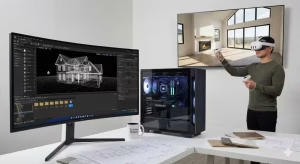
The magic starts with something called BIM. This stands for Building Information Modeling. Think of it as a smart 3D model. In the past, a 3D model was just a hollow picture. Today, a BIM model knows that a wall is made of 2×6 studs, insulation, and drywall. It knows that a window has a specific weight and heat rating.
To create VR walkthroughs, we take this smart BIM model and put it into a “gaming engine.” You might have heard of Unreal Engine or Unity. These are the same tools used to make the world’s most realistic video games. When we move your home design into these engines, the computer starts to simulate reality. It calculates how light bounces off your specific paint color. It shows how shadows fall across the room.
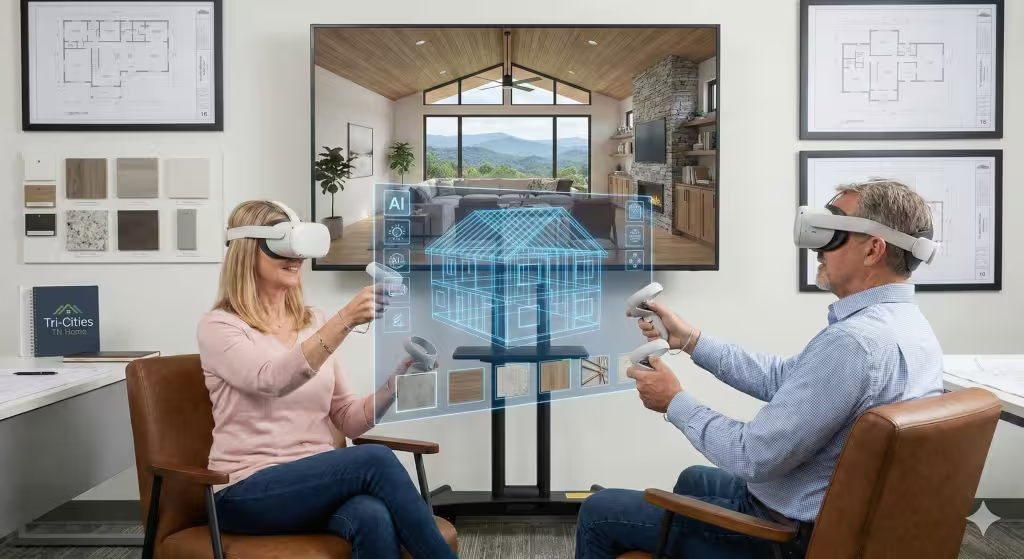
The AI part of the engine is what makes it truly special. In 2026, the AI serves as a helper. If you are walking through your virtual kitchen and decide you want more light, you don’t have to wait for a designer to redraw everything. You can tell the AI, “Show me this room with two more windows on the north wall.” The AI instantly changes the model, adjusts the structural supports in the background, and lets you see the new view. This real-time change is why VR walkthroughs are becoming the standard for custom builds.
Generative AI Integration: Your Virtual Design Partner
In the old days, picking out materials was a long process. You would go to a showroom and look at small squares of carpet or tile. You had to hope they looked good when they covered a whole floor. With AI-powered VR walkthroughs, that guesswork is gone.
Generative AI can now suggest designs based on your style. If you like “Modern Farmhouse,” the AI can instantly “skin” your virtual home with different types of wood, stone, and metal. You can walk through the house and swap out a marble island for a butcher block in one second.
The AI also watches how you move. If it sees you constantly bumping into a virtual table, it might suggest a different furniture layout. This is called “spatial intelligence.” The computer is helping you design a house that fits the way your body moves. This level of detail ensures that when you finally move into your real home in Johnson City, everything feels like it was made just for you.
Visuals and Immersion: The Role of Real-Time Rendering
For a VR experience to feel real, it has to be smooth. If the picture lags or looks blurry, your brain knows it’s fake. It can even make you feel a little sick. This is where real-time rendering comes in.
In 2026, our computers are fast enough to draw 120 pictures every second. This is called “frames per second” or FPS. When the speed is this high, your eyes are fooled. You feel like you are actually standing in the room. When you turn your head, the view moves perfectly with you.
We also use “Ray Tracing.” This is a fancy way of saying the computer tracks every single ray of light. If you have a glass of water on your virtual counter, you will see the light bend through the glass just like it does in real life. This photorealism is key. It allows you to see if a certain paint color is too bright in the morning sun or if your recessed lights create too many shadows at night. These details are what make VR walkthroughs so powerful. You aren’t just looking at a house; you are living in it for a few minutes before it exists.
Spatial Computing: The 2026 Era of Design
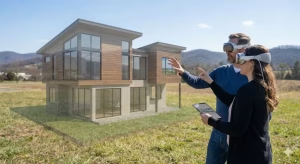
You might have heard the term “spatial computing.” This is a big step up from just “Virtual Reality.” In 2026, devices like the Apple Vision Pro or the Meta Quest 3 allow us to blend the virtual world with the real world.
Imagine standing on your empty lot in Kingsport. You put on a pair of lightweight glasses. Suddenly, you see your future home sitting right there on the grass. You can walk through the front door and look out the “virtual” windows to see the real mountain views. This is called Mixed Reality.
It allows you to check things that used to be impossible to know. You can see if your porch will block the view of the sunset. You can see if your neighbor’s house is too close to your bedroom window. This connection between the digital model and the physical land is the ultimate way to plan a build. It makes VR walkthroughs a bridge between your dream and the actual dirt on your property.
Cost Savings and ROI: The Business Case for VR
Some people worry that using high-tech VR walkthroughs will cost too much money. As someone who has managed multi-million dollar projects, I can tell you that the opposite is true. VR actually saves you a lot of money.
The most expensive thing in home building is a mistake. If we build a wall and you decide you want it three feet to the left, that could cost $5,000 or more. If we have to move plumbing or electrical wires, it’s even worse. By using VR walkthroughs, we find these “mistakes” when they cost $0 to fix.
Studies show that builders who use VR walkthroughs have 30% fewer change orders. They also finish homes faster because the buyer has already made all their choices. You won’t be standing in a half-finished house trying to decide on a tile color while the tile guy is waiting. You already saw that tile in VR six months ago. You know you love it. This saves everyone time, and in the building world, time is money.
The Local Impact: Kingsport and Johnson City Trends
Here in the Tri-Cities, our land is beautiful but challenging. We have lots of hills and varying slopes. A house plan that looks great on a flat lot in Florida might not work on a hillside in Johnson City.
Local builders are now using VR walkthroughs to show how a home sits on a specific slope. They can show you how many stairs you will actually have to climb from the garage to the kitchen. They can show you how a “walk-out basement” will feel with the local light.
A lot of people building custom homes are moving here from other states. They can’t always fly in to check on the progress. With AI-VR, I can send them a link. They can put on a headset in California and “walk” through their house in Tennessee. They can see the progress and make choices without ever leaving their living room. It makes the “long-distance” build feel much more personal and less scary.
Commonly Asked Questions about VR Walkthroughs of Custom Homes
Can AI create a buildable floor plan?
AI is great at making suggestions, but it still needs a human touch. In 2026, AI can suggest a layout based on your needs, but a licensed engineer or architect must check it. They ensure the house is safe, follows local codes, and can handle the weight of the roof. Think of AI as the “creative partner” and the architect as the “safety expert.”
Do I need an expensive headset to see my home?
No. While a headset gives you the best “immersion,” most VR walkthroughs can be viewed on a tablet or a computer screen. We use “Cloud Streaming,” which means the powerful computer does the work far away, and it sends the picture to your phone or laptop. It’s like watching a movie that you can control.
How does VR help with interior design?
It’s a game-changer. You can virtually “test drive” furniture. You can see how a king-sized bed fits in the room with two nightstands. You can even see if there is enough room to open the closet doors comfortably. The AI can even suggest furniture that fits your budget and style, and place it in the model for you to see.
Is it hard to learn how to use VR?
Not at all. If you can use a smartphone, you can use a VR walkthrough. Most systems use a simple “point and click” method to move.6 You just point where you want to go, and you are there. It’s very intuitive and designed for everyone, regardless of their tech skills.
Key Terms and Entities Related to VR Walkthroughs
To truly understand this field, it helps to know a few of the technical terms we use in the industry. These are the tools that make VR walkthroughs possible.
-
Digital Twin: This is a 1-to-1 virtual copy of your real home. It stays updated even after the house is built. If you want to remodel in ten years, you already have a perfect digital map of where the wires and pipes are.
-
Photogrammetry: This is a way of taking hundreds of photos of a site or a material and turning them into a 3D object. It’s how we make virtual stone and wood look so real.
-
Haptic Feedback: Some advanced VR systems use gloves or controllers that vibrate or resist your touch. This lets you “feel” the weight of a door or the texture of a counter.
-
Acoustic Modeling: This is a very cool feature of 2026 VR. The computer can simulate how sound travels. You can hear if the TV in the living room will be too loud in the master bedroom. It helps us decide where to put extra insulation.
-
BIM (Level 3): This is the highest level of smart modeling. It includes not just the shape of the house, but the cost, the schedule, and the life cycle of every part.
Summary of Benefits
| Benefit | How it Works | Why it Matters |
| No Surprises | You see the exact height and width of every room. | You won’t be shocked by a room feeling too small. |
| Instant Changes | Swap materials or move walls in the virtual model. | Saves weeks of waiting for new drawings. |
| Accurate Lighting | Sunlight is simulated based on your exact location. | You’ll know if your kitchen is too dark in the winter. |
| Budget Control | Decisions are made early, preventing costly changes. | Keeps your project on track and saves thousands. |
Conclusion: Building with Confidence
Building a custom home is likely the biggest investment you will ever make. It should be an exciting time, not a stressful one. The move toward AI-powered VR walkthroughs is all about giving you, the buyer, the power of knowledge.
When you can see, hear, and “feel” your home before the first shovel hits the ground, you can make decisions with confidence. You don’t have to worry if the colors match or if the kitchen is too small. You’ve already been there. You’ve already walked through it.
As we move forward in 2026, these tools are becoming available to everyone, not just luxury buyers. Whether you are building a small cottage in the woods or a large estate in Johnson City, I highly recommend looking for a builder who offers these digital tools. It is the best way to ensure that the home you dream of is exactly the home you get.
Craftsmanship still matters. The quality of the wood and the skill of the carpenter still matter. But by using VR walkthroughs, we make sure that those skilled workers are building exactly what you want. That is the true power of technology in the home building industry.
Bonus Section: A Checklist of Questions to Ask About VR Walkthroughs
That is a smart move. The best projects start with clear communication. If you are interviewing builders in the Tri-Cities area or where you live, you want to know if they are truly using these tools or if they are just using “VR” as a buzzword.
Here is a checklist of questions we would ask if we were in your shoes. They have been broken down into categories so you can stay organized during your meetings.
I. Technical Capabilities and Realism
-
“What hardware do you use for your VR walkthroughs?”
-
Why it matters: In 2026, you want to hear names like Apple Vision Pro or Meta Quest 3. If they are just showing you a 360-degree photo on an old iPad, you aren’t getting a true immersive experience.
-
-
“Does your system support real-time AI adjustments?”
-
Why it matters: You want to be able to say, “Show me this room with dark oak floors instead of light pine,” and see it happen instantly.
-
-
“Is the lighting in the model based on my actual lot coordinates?”
-
Why it matters: A “generic” sun won’t help you. You need to see how the light hits your living room on a January morning in Johnson City.
-
II. The Design Process
-
“How many VR walkthroughs are included in my pre-construction phase?”
-
Why it matters: Some builders give you one “look,” while others let you come back as many times as needed to get the kitchen right.
-
-
“Can we walk through the home together remotely?”
-
Why it matters: If you are traveling or moving from out of state, you need to know if you can log in from your own headset or computer and meet the builder “inside” the virtual house.
-
-
“Can I see how my existing furniture will fit in the virtual space using a VR walkthrough?”
-
Why it matters: Modern AI can scan your current sofa and place it in the virtual room to ensure you have enough walking space.
-
III. Cost and Change Orders
-
“Do you offer a discount on change order fees for decisions made during VR walkthroughs?”
-
Why it matters: Since VR helps you catch mistakes early, a fair builder might reduce the administrative fees for changes made before the “Digital Twin” is finalized.
-
-
“Is the cost of the VR modeling included in the design fee, or is it an extra ‘add-on’?”
-
Why it matters: You want to avoid “sticker shock” later in the process.
-
-
“How does the VR walkthrough model connect to the final construction budget?”
-
Why it matters: In 2026, the best systems automatically update the price of the house when you swap a granite counter for a quartz one in the virtual world.
-
IV. Local Site Specifics (The Tri-Cities Factor)
-
“Have you modeled the actual topography (the slope) of my lot into the VR walkthrough?”
-
Why it matters: In East Tennessee, the slope of the land is everything. You need to see exactly how many steps are on your porch or how high your deck will be off the ground.
-
-
“Can you simulate the view from my specific windows?”
-
Why it matters: If you’re building near the Holston River or looking at Buffalo Mountain, you want to ensure your window placement perfectly frames those views.
-
The “Expert’s Choice” Checklist
Pro Tip: When you put on the headset, walk to the tightest spot in the house (usually the laundry room or the walk-in closet). If the builder’s VR walkthroughs are accurate, you should feel a slight sense of “closeness.” If every room feels like a ballroom, the scale might be off.
| Question | Look for this Answer |
| BIM Integration? | “Yes, our VR is pulled directly from our BIM architectural data.” |
| Material Accuracy? | “We use photogrammetry to show the exact texture of the stone and wood.” |
| Timeline? | “We finalize the virtual model two weeks before we break ground.” |
Building a home is a big journey, and these questions will help make sure your builder is a competent partner who values precision as much as you do, and can give a good experience in your VR walkthrough.