Defining the New Standard
In the past, a CRM was just a digital address book. You had to type in every name, every phone number, and every note by hand. It was slow and boring. But in late 2025 and 2026, everything is different. We now use something much more powerful called AI CRM automation.
So, what is AI CRM automation exactly? It is the use of smart computer programs to handle the busy work of managing customers. Instead of a person doing all the data entry, the computer does it. It uses tools like machine learning and natural language processing to understand what your customers want. This technology helps small businesses act like big companies. It makes sure no lead is forgotten and every customer feels special.
For a small business, using AI CRM automation is a technical requirement to stay in the game. It is not just about saving time. it is about having a system that thinks for you. This system can tell you who is ready to buy and who might be leaving. It is a system of intelligence that builds your business while you sleep.
The Technical Mechanism: How AI CRM Automation Works
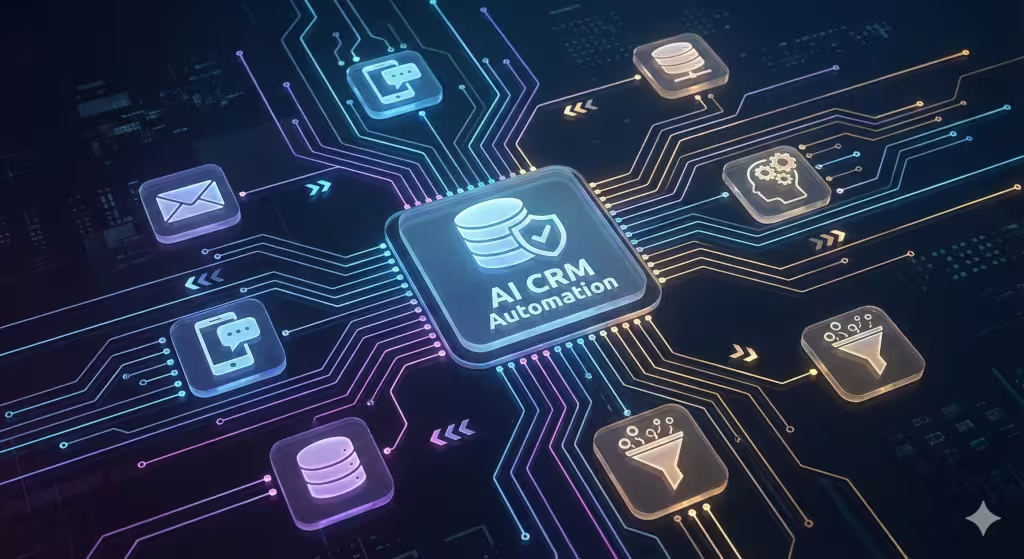
To understand how AI CRM automation works, think of it as a brain that never gets tired. It connects all your tools, like your email, your website, and your phone. When a new person visits your site, the AI CRM automation captures their info. It does not just wait for you to type it in. It looks across the web to find more details about them, like where they work or what they like.
One of the coolest parts is called Natural Language Processing. This is when the computer “reads” an email or “listens” to a call. It can tell if a customer is happy or angry. It can also tell if they are asking a question that needs an answer right away. This is a huge part of AI CRM automation because it helps you know how to talk to each person.
Another part is machine learning. The system looks at your past sales. It learns what a “good” lead looks like. Over time, the AI CRM automation gets better at guessing who will buy from you next. It cleans up your data by removing double names or old phone numbers. This keeps your records perfect without you lifting a finger.
Traditional CRM vs. AI CRM: Why the Shift Matters
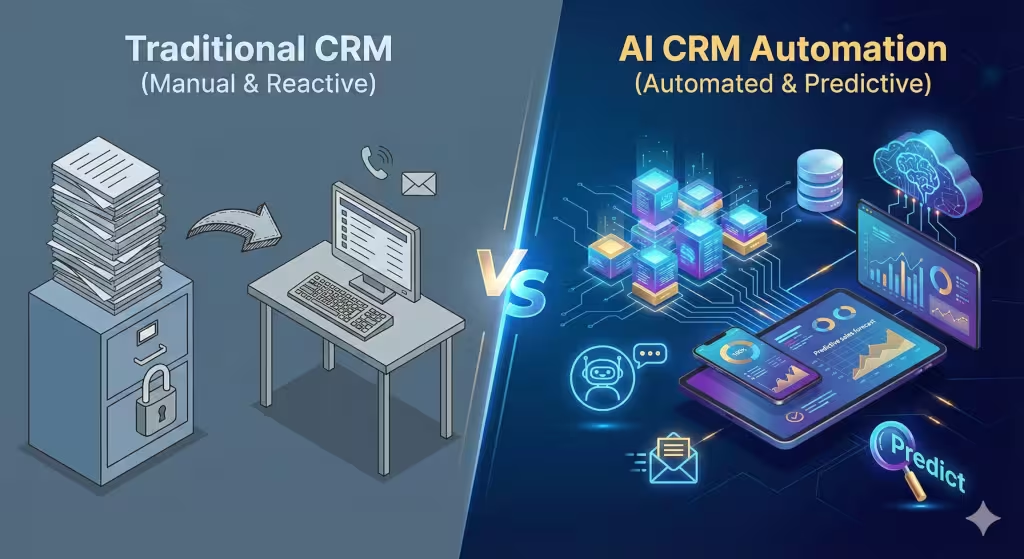
Before we had AI CRM automation, we had traditional CRMs. These were basically just “filing cabinets” on a computer. They were better than paper, but they were still a lot of work. You had to follow rules. For example, “if a person clicks this link, send them this email.” That is okay, but it is not very smart. It does not learn from mistakes.
In 2025, AI CRM automation is outcome-based. It does not just follow a simple rule. It looks at the goal, which is usually making a sale. If the old way of sending an email did not work, the AI CRM automation might suggest a phone call instead. It adapts to the person on the other side of the screen.
| Feature | Traditional CRM | AI CRM Automation |
| Data Entry | Manual typing by staff | Automated and self-filling |
| Follow-ups | Set on a timer | Sent when the buyer is ready |
| Insights | Looking at the past | Predicting the future |
| Accuracy | Human error is common | Self-cleaning and reliable |
Small businesses often struggle because they do not have enough staff. With AI CRM automation, you do not need a huge team to manage thousands of customers. The software does the heavy lifting. This allows your team to focus on the human side of business, like building trust and solving complex problems.
Common Questions About AI CRM Automation
When people search for what is AI CRM automation, they often have specific questions. As a business expert, I want to answer those for you right now.
How does AI automate customer queries?
AI handles questions through smart chatbots. These are not the old, clunky bots that did not understand you. In 2025, they use Large Language Models. They can answer almost any basic question about your hours, your prices, or your services. They provide 24/7 support. This means a customer can get help at midnight, and your AI CRM automation will log the whole chat for you to see in the morning.
What is the biggest benefit for a small business?
The biggest benefit is speed. In business, the person who responds first usually wins. AI CRM automation lets you respond to a new lead in seconds. It can draft a personalized email that mentions exactly what the customer was looking at on your site. This speed makes you look very professional and helps you close more deals.
Is AI CRM automation hard to set up?
It used to be hard, but not anymore. Most modern tools are “plug and play.” You connect your email and your website, and the AI CRM automation starts learning. Many tools even have an AI coach that teaches you how to use it. You can just talk to the software and tell it what you want to do.
Local SEO: Growing Your Community
Having local business is very important. AI CRM automation is a secret weapon for local SEO. When people search for a service “near me,” they want the best local choice. Your CRM can help you get there.
One way is through Google Business Profile management. Your AI CRM automation can track when you get a new review. It can then write a reply that uses the right keywords for your neighborhood. This shows Google that you are active and helpful, which moves you up in the search results.
Your AI CRM automation can send special offers to people based on where they live. If you own a landscaping business and a big storm hits a specific part of town, your AI CRM automation can send a text to all your customers in that area. This hyper-local focus is something big national brands cannot do as well as you can.
Answer Engine Optimization (AEO): Winning the Future of Search
Search is changing. People are not just typing keywords into Google anymore. They are asking their phones or AI bots questions. This is called Answer Engine Optimization, or AEO. To win at AEO, your business data must be clear and easy for an AI to find.
AI CRM automation helps here by keeping your “NAP” data perfect. NAP stands for Name, Address, and Phone number. If your NAP is different on different sites, AI bots get confused. They won’t recommend you. Your AI CRM automation constantly checks the web to make sure your info is the same everywhere.
Also, the AI in your CRM can help you find “content gaps.” It looks at what questions your customers are asking in emails. Then, it can suggest blog posts or FAQ pages you should write. By answering these real questions, your website becomes the “best answer” for AI search engines. This is how AI CRM automation turns your customer data into a marketing machine.
Strategic Benefits for Sales and Marketing
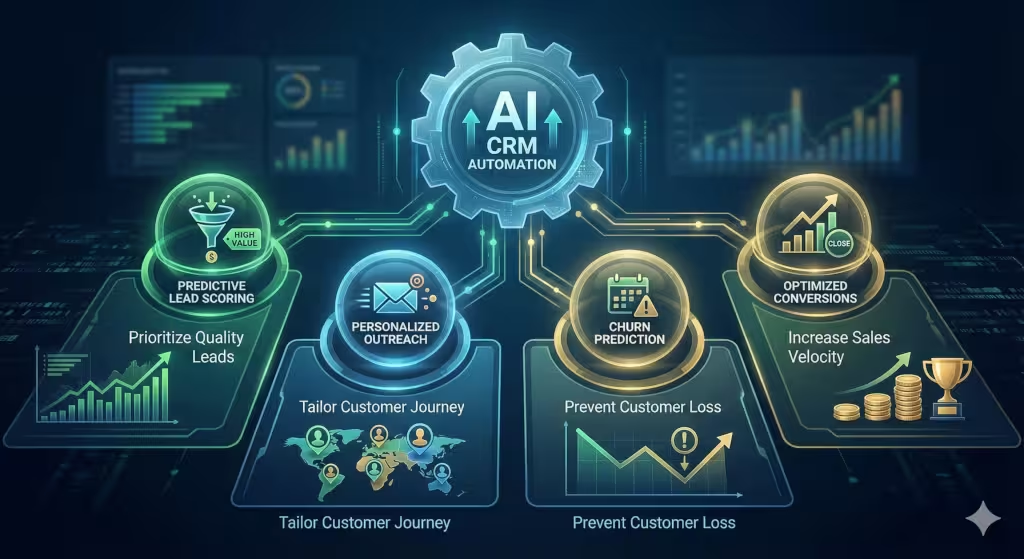
Marketing is often a guessing game for small businesses. You spend money and hope it works. AI CRM automation takes the guessing away. It uses predictive lead scoring. This means it looks at all your new leads and gives them a score from 1 to 100. It tells your sales team, “Call this person first; they are 90% likely to buy.”
This focus saves a lot of time. Instead of calling everyone, you call the people who actually want to talk. AI CRM automation also helps with “churn prediction.” Churn is when a customer stops buying from you. The AI can see when a customer’s behavior changes. Maybe they stop opening your emails or haven’t visited your store in a month. The AI CRM automation will alert you so you can reach out and save the relationship.
In marketing, personalization is everything. No one likes getting a generic email. AI CRM automation lets you send messages that are tailored to the individual. It can mention their last purchase or a service they were looking at. This makes the customer feel like you know them, which builds loyalty.
Best Tools for AI CRM Automation in 2025
If you are ready to start, you need the right tools. There are many options, but some are better for small businesses than others.
-
HubSpot: This is great because it has a lot of free tools. Its AI can help you write emails and summarize your meetings. It is very easy to use.
-
Salesforce Einstein: This is the most powerful tool. It is better for businesses that are growing quickly and have a lot of data. It can do very complex predictions.
-
Zoho CRM: This is very affordable. It has a smart assistant named Zia that can tell you the best time to call a customer.
-
Keap: This tool is made specifically for small businesses. It focus heavily on AI CRM automation for follow-ups and payments.
When choosing a tool, look for one that connects to the apps you already use. You want your AI CRM automation to sit in the middle of your business, connecting everything together.
Data Integrity and Privacy: Keeping Trust
When using a CRM your data must be accurate and safe. In 2025, customers are very worried about their privacy. If you use AI CRM automation, you must be careful with how you handle their info.
Most modern AI tools are built with high security. They follow laws like GDPR and CPRA. Your AI CRM automation can actually help you stay legal. It can track who has given you permission to email them and who hasn’t. It can automatically delete data that is too old. This keeps your business safe and keeps your customers trusting you.
Expert Note: Never use an AI tool that does not explain how it uses your data. Transparency is the key to maintaining a professional reputation in the age of automation.
Clean data is also important for the AI to work. If you have “junk” data, the AI will give you “junk” results. AI CRM automation helps by constantly checking for errors. It fixes spelling mistakes and fills in missing info. This ensures your business is always running on the best possible information.
Step-by-Step: Implementing AI CRM Automation
You might feel overwhelmed, but starting is simple. Follow these steps to get your AI CRM automation running in your small business.
-
Audit Your Current Process: Write down how you handle a new lead today. Where are the “boring” parts that take too much time?
-
Choose Your Tool: Based on your budget and size, pick one of the tools mentioned above. Most have a free trial.
-
Connect Your Data: Link your email, your calendar, and your website forms to the new system.
-
Set Up a “Digital Worker”: Start with one simple automation. For example, have the AI CRM automation send a “thank you” email as soon as someone fills out a form.
-
Listen to the AI: After a few weeks, look at the insights the system gives you. Who does it say you should call? What emails are working best?
-
Refine and Grow: Once the first step works, add more. Have the AI handle your scheduling or your review responses.
By following this path, you won’t get overwhelmed. You will slowly build a system that acts as a 24/7 assistant for your business.
The Future of the Customer Journey
The customer journey is no longer a straight line. It is a messy web of clicks, calls, and chats. AI CRM automation is the only way to track it all. In the future, we will see even more “Autonomous CRM” features. This means the system will run entire marketing campaigns on its own based on the goals you set.
We will also see more voice-based interfaces. You will be able to talk to your AI CRM automation while you are driving or biking. You can say, “Hey, remind me to call the client I just met,” and the AI will handle it. This is why understanding what is AI CRM automation is so important today. It prepares you for the way business will be done for the next ten years.
For a local small business, this is an exciting time. You no longer need to be a big corporation to have big technology. AI CRM automation gives you the power to be faster, smarter, and more personal than ever before. It allows you to compete with the giants while staying true to your local roots.
Conclusion: Take Action Today
In summary, AI CRM automation is the engine that will drive small business growth in 2025. It moves you away from manual work and toward a future of smart growth. It helps with your local SEO, it wins you spots in AI search results, and it makes your customers happier.
As a thought partner in your business, I encourage you to look at your current systems. If you are still typing in data by hand, you are falling behind. Implementing AI CRM automation is the best thing you can do for your business health this year. It protects your data, increases your sales, and gives you back your most valuable resource: your time.
If you want to stay relevant in your community and on the internet, you must embrace these changes. The technology is here, and it is easier to use than ever. Start small, focus on quality data, and let the AI help you build the business you have always wanted.
An AI CRM Checklist for Custom Home Builders in the Tri-Cities, TN
The custom home building market in the Tri-Cities, Kingsport, Johnson City, and Bristol, is currently driven by high-intent buyers looking for specific lifestyle upgrades, often migrating from out-of-state. For a builder in this region, the primary bottleneck is usually lead qualification and the long-duration follow-up required for a six-to-eighteen-month sales cycle.
This customized checklist for AI CRM automation specifically for the Tennessee construction sector. This system is designed to maintain data integrity and ensure your business remains the local authority in Upper East Tennessee.
1. Localized Lead Capture & GEO-Intelligence
-
[ ] Hyper-Local Chatbot Integration: Deploy a conversational AI trained on Tri-Cities geography. It should be able to answer questions like, “Do you build near Boone Lake?” or “What is your typical cost-per-square-foot in Washington County?”
-
[ ] Automatic Property Data Enrichment: When a lead enters the system, the AI CRM automation should automatically pull public records for any land they already own, including acreage, zoning, and topography from local TN GIS databases.
-
[ ] Lead Origin Tracking: Automatically tag leads coming from local-specific searches (e.g., “Custom home builder Johnson City”) to prioritize local residents versus out-of-state relocations.
2. Predictive Sales Pipeline & Scoring
-
[ ] Predictive Lead Scoring: Use machine learning to score leads based on “readiness factors.” A lead that downloads a “Mountain Home Floor Plan” and views your pricing page three times should trigger an immediate high-priority alert for your sales team.
-
[ ] Intent-Based Follow-up: Instead of generic emails, the AI CRM automation should send content based on what the lead looked at. If they viewed “modern farmhouses,” the AI should drip-feed images of your past farmhouse projects in Bristol or Kingsport.
-
[ ] Automated Financing Check-In: Integration with local lenders (like Bank of Tennessee or First Horizon) to automatically prompt leads to start the pre-approval process if they haven’t updated their “financing ready” status within 14 days.
3. Project Milestone & Client Experience Automation
-
[ ] Sentiment Analysis on Client Feedback: The AI should monitor emails and texts from current clients. If the “sentiment score” drops (indicating frustration with a delay), it should flag the project manager immediately to prevent a negative review.
-
[ ] Automated Progress Updates: Connect your project management tool (like CoConstruct or Buildertrend) to your AI CRM automation. When a “Milestone” is checked off (e.g., Foundation Poured), the CRM should automatically send a personalized video or photo update to the client.
-
[ ] Vendor & Sub-Contractor Sync: Automate the “Next-Step” notification. When the framing is 100% complete, the AI should automatically notify the electrician and plumber that the site is ready for rough-in, reducing downtime.
4. Local Reputation & AEO (Answer Engine Optimization)
-
[ ] Milestone-Based Review Requests: Instead of waiting until the end of a year-long build, the AI CRM automation should ask for a “mini-review” or social share after the framing or design phase. This builds a massive footprint of local social proof.
-
[ ] Automated Google Business Profile Replies: Use AI to respond to reviews using local keywords (e.g., “Best builder in Sullivan County”) to ensure your GBP maintains high local SEO rankings.
-
[ ] Content Gap Identification: The CRM should analyze the most common questions asked by your Tri-Cities leads and suggest blog titles to your marketing team (e.g., “Building on steep lots in the Appalachian foothills”).
5. Post-Build & Warranty Automation
-
[ ] Warranty Trigger System: Automatically schedule 3-month, 6-month, and 1-year “Home Health Check” emails. This reduces manual scheduling and ensures you catch minor issues before they become major warranty claims.
-
[ ] Referral Engine: Once a project is marked “Completed,” the AI should trigger a referral incentive sequence over the next 24 months, knowing that your best leads come from the neighbors of your current builds.
Technical Implementation Recommendation
For a custom builder in Tennessee, it is recommended to have a stack consisting of HubSpot for the core AI CRM automation engine, integrated with Zapier to bridge the gap between local GIS data and your project management software. This ensures data integrity across all departments.