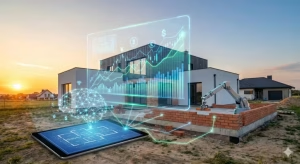
Many small businesses try to build their own location tools from the ground up. However, this is often a recipe for wasted time and money. Imagine you are trying to build a house. You would not start by forging your own nails and sawing your own wood from raw trees. You would buy a toolkit that has everything you need to get the job done right. In the world of mobile apps, that toolkit is a geofencing SDK.
This piece of software is the bridge between a simple map and a smart app that knows exactly where your customers are. It allows a business to set up virtual boundaries that trigger actions when a phone enters or leaves a specific spot. Whether you want to send a coupon to a shopper or track a delivery truck, a geofencing SDK is the most important piece of the puzzle. It handles all the complex math and battery management so your team can focus on growing the business.
What is a geofencing SDK?
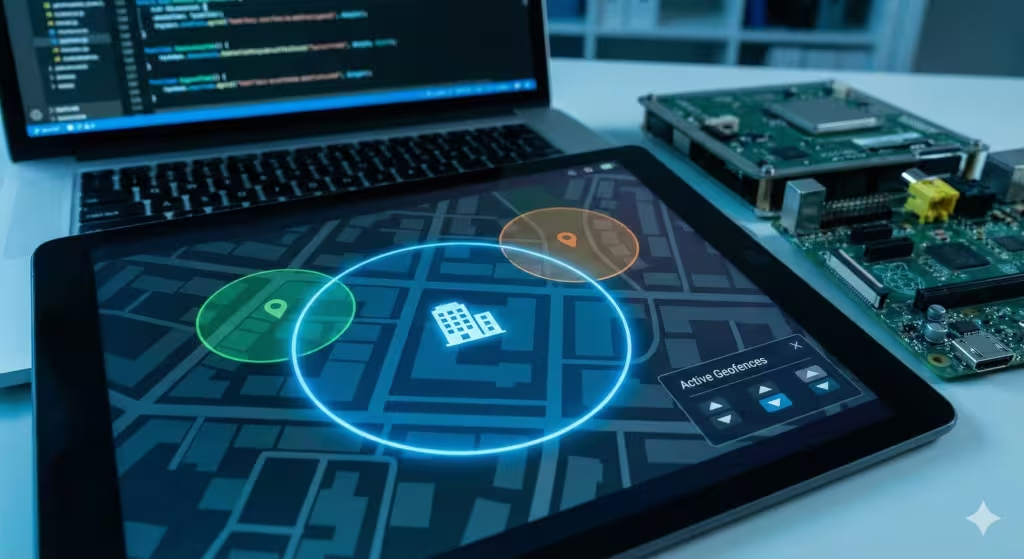
To understand a geofencing SDK, we first have to look at what those words mean. An SDK stands for Software Development Kit. Think of it as a box of pre-made tools that a computer programmer uses to build an app. Geofencing is the act of drawing a digital line around a real-world place. When you put them together, a geofencing SDK is a set of tools that lets an app talk to the sensors in a smartphone to see if it has crossed one of those digital lines.
Most small businesses do not have the resources to hire a team of scientists to figure out how to track a phone without killing the battery. That is why a geofencing SDK is so valuable. It does the hard work for you. It uses the phone’s GPS, Wi-Fi, and Bluetooth to figure out where the user is. Then, it compares that spot to the virtual fences you have built. If there is a match, it tells the app to do something, like send a greeting or log a visit.
Without a geofencing SDK, an app would have to ask the phone for its location every few seconds. This would make the phone very hot and the battery would die in an hour. A good geofencing SDK is smart enough to sleep when the user is not moving and wake up only when they get close to a fence. This makes the experience smooth for the user and effective for the business.
The Anatomy of a Geofence: Latitude, Longitude, and Beyond
When we talk about geofencing, we are really talking about geometry. Every spot on Earth has a specific address made of numbers. These are called latitude and longitude. Latitude tells you how far north or south you are from the equator. Longitude tells you how far east or west you are. A geofencing SDK uses these numbers to create a center point for your virtual fence.
The most basic type of fence is a circle. You pick a point and then decide on a radius, which is the distance from the center to the edge. For example, a coffee shop might set a radius of 500 feet. If the geofencing SDK sees that a user is within 500 feet of that center point, the fence is triggered.
However, the world is not made of perfect circles. Sometimes you need a more complex shape, like the exact outline of a parking lot or a specific building. This is where a polygon comes in. A polygon is a shape with many sides. A high-quality geofencing SDK allows you to draw these shapes on a map. This is much more precise. It ensures that you do not send a “Welcome to the Store” message to someone who is just driving by on the highway.
APIs vs SDKs: Knowing the Difference
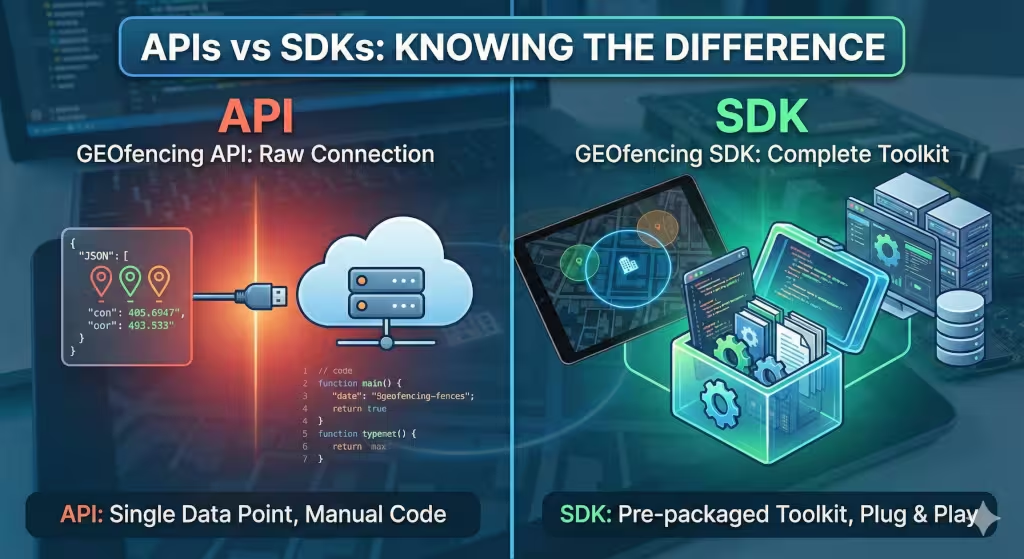
Many people get confused between an API and an SDK. It is important to know the difference before you choose a geofencing SDK for your business. An API, or Application Programming Interface, is like a waiter at a restaurant. You give it an order, and it goes to the kitchen to get the information you want. It is just a way for two pieces of software to talk to each other.
A geofencing SDK is more like the entire kitchen and the waiter combined. It includes the API, but it also includes libraries, documentation, and sample code. It is a complete package. If you only use an API, your developers have to write thousands of lines of code to make sense of the data the API gives them. If you use a geofencing SDK, most of that code is already written.
For a small business, a geofencing SDK is almost always the better choice. It saves time and ensures that the location features work correctly on both iPhone and Android devices. Since every phone brand handles location a little differently, a geofencing SDK acts as a translator that makes sure your app works everywhere.
Understanding Event Triggers: Enter, Exit, and Dwell
A geofencing SDK does not just watch where someone is; it watches how they move relative to your boundaries. There are three main types of events that a geofencing SDK tracks. These are known as triggers.
The first is the Enter trigger. This happens the moment a user crosses the line into your fenced area. This is great for sending a “Welcome” message or a special daily deal.
The second is the Exit trigger. This happens when the user leaves the area. A geofencing SDK can use this to send a “Thank you for visiting” note or to ask for a review of their experience.
The third, and perhaps the most powerful, is the Dwell trigger. This trigger only goes off if the user stays inside the fence for a certain amount of time. For example, if a customer stands in the shoe section of a department store for five minutes, a geofencing SDK can trigger a notification about a shoe sale. This prevents you from bothering people who are just walking through the store to get to the exit. It makes your marketing feel more personal and less like spam.
How a Geofencing SDK Uses Location Sources
A phone has many ways to find its place in the world. A geofencing SDK is like a conductor in an orchestra, deciding which sensor to use at the right time.
-
GPS (Global Positioning System): This is the most accurate method. It uses signals from satellites in space. However, it uses a lot of battery and does not work well indoors.
-
Wi-Fi Triangulation: This looks at the Wi-Fi networks around the phone. Even if the phone is not connected to them, the geofencing SDK can use the strength of these signals to guess where the phone is. This is very helpful in cities and inside malls.
-
Cell Tower ID (Cell ID): This uses the towers that provide your phone signal. It is the least accurate method, but it uses almost no battery. A geofencing SDK will often use this to see if you have moved to a new city before turning on the more precise GPS.
-
IP Address: This is used mainly when a phone is connected to a specific network. It is not very precise but can be a good backup for a geofencing SDK.
By mixing these sources, a geofencing SDK provides a balanced experience. It gives you the accuracy you need without making the user’s phone die before lunch.
Key Features of a Modern Geofencing SDK
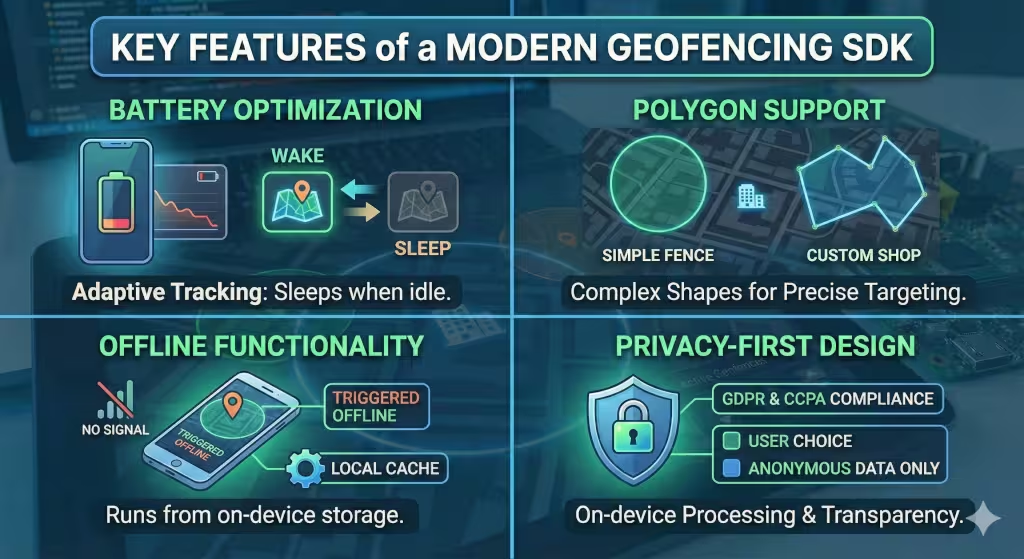
When you are looking for a geofencing SDK, you need to check for certain features that separate the good ones from the bad ones.
First is Battery Optimization. This is the biggest challenge in the industry. A high-quality geofencing SDK uses something called “Adaptive Tracking.” This means it only checks the location as often as it needs to. If the phone’s sensors show that the user is sitting still, the geofencing SDK stops asking for GPS updates.
Second is Polygon Support. As we discussed earlier, being able to draw custom shapes is vital. If a geofencing SDK only allows circles, you will end up with a lot of “false positives.” This is when the app thinks someone is in your store when they are actually just at the bus stop across the street.
Third is Offline Functionality. Sometimes people lose their internet connection. A smart geofencing SDK can save the boundaries on the phone itself. This way, if someone enters your store and their signal drops, the geofencing SDK can still trigger the right action.
Finally, you must look for Privacy-First Design. In 2025, people are very worried about their data. A good geofencing SDK will help you follow laws like GDPR and CCPA. It should only collect the data it needs and make it easy for users to opt-out.
Top Geofencing SDK Providers for 2025
There are many companies that make these tools. Here are the leaders I recommend looking at this year.
| Provider | Best For | Key Strength |
| Radar | General Use | It is very easy to set up and works well for businesses of all sizes. |
| Woosmap | Privacy | They focus on keeping data local on the phone, which is great for privacy. |
| Google Play Services | Android Only | It is built into Android phones, so it is free, but it has fewer features. |
| Bluedot | High Precision | Excellent for drive-thru and curbside pickup where every foot counts. |
Each geofencing SDK has its own pros and cons. If you are a small coffee shop, you might want something simple like Radar. If you are a large pharmacy with strict privacy rules, Woosmap might be better. The key is to pick the geofencing SDK that matches your specific goals.
Common Questions About Geofencing
I often hear the same questions from business owners who are just starting out. Let’s clear some of those up.
Is geofencing free to use?
Not exactly. While Google and Apple provide some basic location tools for free, a professional geofencing SDK usually costs money. You are paying for the advanced battery saving and the easy-to-use dashboard. For most businesses, the money you save on development time more than covers the cost of the geofencing SDK.
Does geofencing work without an app?
Most of the time, no. To use a geofencing SDK, you need to have an app installed on the user’s phone. There are ways to do geofencing through a mobile web browser or through a cellular carrier, but they are not as accurate and do not offer the same features as a geofencing SDK.
Is geofencing accurate indoors?
GPS often fails inside big buildings like malls. However, a modern geofencing SDK can use Wi-Fi and Bluetooth “beacons” to find a user’s location indoors.23 This is how some stores can tell which aisle you are standing in.
Related Keywords and Important Entities
If you are researching this topic, you will likely see other terms. Knowing these will help you understand how a geofencing SDK fits into the bigger picture.
-
LSI Keywords: Proximity marketing, location intelligence, spatial data, push notifications, lat/long, geofence radius.
-
Entities: Global Positioning System (GPS), Software Development Kit (SDK), API integration, JSON data, Flutter, React Native.
A geofencing SDK often works with these entities to deliver a full experience. For example, you might use a geofencing SDK with a tool like Flutter to build an app that works on both iPhone and Android. Then, you use JSON data to send the list of your store locations to the geofencing SDK.
Use Cases for Small Businesses
How can a small business actually use a geofencing SDK to make more money? Here are a few real-world examples.
A local boutique can use a geofencing SDK to send a “10% off today only” coupon to past customers when they are within two blocks of the store. This reminds them to stop in when they are already nearby.
Restaurants and Cafes
A cafe can use a geofencing SDK to help with “Order Ahead” features.25 When the customer enters a specific fence around the shop, the geofencing SDK tells the kitchen to start making the coffee so it is hot when the customer walks in.
If you have a small delivery fleet, a geofencing SDK can automatically text a customer when the driver is five minutes away. It can also log the exact time a driver arrives at a job site, which helps with payroll and billing.
The Expert Strategy: “Three-Step” Implementation
As someone who has studied geography and computer science for decades, I have a specific way I suggest implementing a geofencing SDK.
-
Define Your Goal: Do not just track people for the sake of tracking. Decide if you want to increase foot traffic, improve safety, or speed up service. Your goal will dictate which geofencing SDK you choose.
-
Start Small: Do not try to fence the whole city. Start with a small circle around your front door. Use the geofencing SDK to test how many people actually open your notifications.
-
Optimize for the User: Always remember that the user’s phone belongs to them. Use a geofencing SDK that respects their battery and their privacy. If you annoy them, they will delete your app, and your geofencing SDK will be useless.
I always tell my clients that the best geofencing SDK is the one that the user never notices. It should work silently and provide value at exactly the right moment.
The Future of Spatial Awareness
We are moving into a world where our phones are more than just screens; they are our digital assistants. A geofencing SDK is what makes that possible. As 5G technology spreads, a geofencing SDK will become even faster and more accurate. We will see sub-meter accuracy, meaning an app could tell which side of a table you are sitting on.
For a small business, the time to start is now. Using a geofencing SDK allows you to compete with the biggest companies in the world by being smarter and more local. It is an investment in data integrity and innovation.
By choosing the right geofencing SDK, you are not just adding a feature to an app. You are building a bridge to your customers. You are meeting them where they are, in the physical world, with the power of the digital world.
To Get You Started (SDK Providers)
Choosing a geofencing SDK is not just a technical decision. It is a financial one that can impact your bottom line for years and the “where” and “how much” are just as important.
In this guide, I will break down the pricing models of the top five providers. I will also compare them to the native tools provided by Google and Apple. My goal is to help you find a geofencing SDK that fits your budget while giving you the data integrity you need to succeed.
The Native Baseline: Google Play Services and Apple Core Location
Before we look at paid options, we must look at what comes for free. Both Android and iOS have their own way of handling location. These are the foundations upon which every geofencing SDK is built.
Google Play Services offers a geofencing API for Android. It does not cost any money to use. However, it is very limited. You can only have 100 geofences per app on a single device. If you are a small shop with one location, this might work. But if you want to track a whole city, you will hit a wall quickly. It also requires a lot of manual work to save battery life.
Apple has a similar tool called Core Location for iPhones. It allows for up to 20 geofences per app. This is even more restrictive than Google. Because these tools are free, they do not offer a dashboard or support. You have to write all the code yourself. Most businesses find that while the tool is free, the cost of paying a developer to manage it is much higher than buying a geofencing SDK.
1. Radar: The Scalable Tiered Model
Radar is often the first geofencing SDK that people think of when they want to move beyond the free tools. Their pricing is designed to grow as you grow. They use a model based on Monthly Tracked Users or MTUs. An MTU is a single person who has your app and has location turned on.
The Free Tier: Radar is very generous to startups. Their free geofencing SDK tier allows for up to 1,000 MTUs. This is perfect for a local shop that is just testing the waters. You get up to 1,000 geofences and basic support.
The Team Tier: This usually starts around 499 dollars per month. It covers up to 10,000 MTUs. For a small chain of stores or a local delivery service, this is a great sweet spot. You get more API requests and better email support.
The Enterprise Tier: Once you go over 10,000 users, you move into custom pricing. For very large companies, the cost of this geofencing SDK can be 60,000 dollars a year or more. At this level, you get unlimited geofences and a dedicated person to help you set everything up.
Radar is great because the pricing is predictable. You know exactly what you will pay based on how many customers you have.
2. Woosmap: The Consumption Credit Model
Woosmap takes a different approach. Instead of charging per user, they use a “credit” system. This is a very technical way to pay, but it can be very fair. You buy a pack of credits, and each time your geofencing SDK does something, it uses a fraction of a credit.
For example, looking up a store might cost 0.1 credits. Calculating the distance to a customer might cost 0.5 credits. If your app does not do much location work during a slow month, you spend very little. If you have a big holiday sale and everyone is using the app, you use more credits.
The Free Plan: You can get up to 10,000 API requests for free each month. This is a great way to see if their geofencing SDK is right for your app without spending a dime.
The Pro and Enterprise Plans: These involve buying larger amounts of credits at a discount. This model is best for businesses that have a lot of users but only need to check their location once in a while. It prevents you from paying for “idle” users who are not active in your app.
3. Bluedot: The High Precision Premium
Bluedot is the “Ferrari” of the geofencing SDK world. They focus on extreme accuracy. If you need to know exactly when a car pulls into a specific drive-thru lane, this is the geofencing SDK you want. Because they offer such high precision, they are the most expensive.
Bluedot does not usually list their prices on their website. They prefer to talk to you first to understand your needs. However, records show that their enterprise plans can start around 48,000 dollars per year. They often charge based on the number of locations you have or the number of events triggered.
While the price is high, this geofencing SDK can save you money in other ways. For a fast-food restaurant, knowing exactly when to drop the fries into the oil can save thousands in food waste. If accuracy is your top priority, the high cost of this geofencing SDK is often worth it.
4. Herow: The Engagement Focused Model
Herow is a geofencing SDK that focuses on marketing. They do not just track where people are; they track how they behave. Their pricing is built around the idea of the Monthly Localized User or MLU.
The Starter Tier: Herow often provides a free version for up to 50,000 MLUs. This is a very high limit compared to Radar. They want you to get hooked on their analytics tools.
The Growth Tier: Once you pass the free limit, they often charge a small fee per user, such as one cent per MLU. They also have a mid-level plan that costs around 999 dollars per month. This plan unlocks advanced tools like behavioral segments.
This geofencing SDK is perfect for businesses that want to send very specific messages. If you want to target “moms who visit the park on weekends,” Herow has the tools to find them. Their pricing reflects the value of the data they provide.
5. PlotProjects: The Small Business Starting Point
PlotProjects is a geofencing SDK that tries to be very accessible. They have been around for a long time and have a very stable product. Their pricing is often simpler than the others.
The Basic Plan: You can often start for around 100 dollars per month. This is one of the lowest entry points for a paid geofencing SDK. It gives you the basic tools to set up fences and send push notifications.
Custom Scaling: As you add more users or more fences, the price goes up, but it usually stays lower than the enterprise-heavy providers like Bluedot.
I recommend PlotProjects for small business owners who are moving away from the free Google tools but are not ready to spend 500 dollars a month. This geofencing SDK gives you a professional dashboard without a massive bill.
Summary Comparison Table
To help you see the big picture, we have created this table. It compares the five providers based on their main pricing logic.
| Provider | Main Pricing Driver | Best For | Estimated Entry Cost |
| Radar | Monthly Tracked Users | Scalable growth | Free or $499/mo |
| Woosmap | API Usage Credits | High volume, low frequency | Free or usage-based |
| Bluedot | Locations & Precision | Curbside & Drive-thru | $4,000+/mo (Estimated) |
| Herow | Localized Users | Marketing & Analytics | Free or $999/mo |
| PlotProjects | Flat Subscription | Simple setup | $100/mo |
How to Choose the Right Geofencing SDK for Your Budget
Choosing a geofencing SDK is about more than just finding the lowest number. You must look at the “Total Cost of Ownership.” This includes the time your team spends setting it up and the money you make from the results.
If you have a very small budget, start with the free tier of a geofencing SDK like Radar or Herow. This lets you learn how the technology works without any risk. Once you see that geofencing is bringing in more customers, you can justify moving to a paid plan.
If your business relies on speed, like a pizza shop, you need a geofencing SDK with high precision. In that case, paying more for Bluedot might actually make you more money in the long run. If you have an app with millions of users but only use location once a year for a big event, a credit-based geofencing SDK like Woosmap will be your best friend.
Always look at the contract terms carefully. Some geofencing SDK providers want you to sign a two-year deal. Others let you pay month-to-month. For a small business, flexibility is often just as important as the price.
Final Thoughts on Geofencing SDK Costs
The market for location technology is changing fast. In 2025, we are seeing more competition, which is driving prices down. However, the cost of data privacy is going up. Every geofencing SDK must now spend a lot of money on security and compliance. This is why the free tools are becoming more limited and the paid tools are becoming more valuable.
When you buy a geofencing SDK, you are buying peace of mind. You are buying a tool that has been tested on millions of phones. You are buying a team of experts who will help you when things go wrong. For any serious small business, the right geofencing SDK is an investment that pays for itself through better customer service and smarter marketing.